

TL;DR:
- Marketing automation workflows are sequences triggered by customer actions to automate tasks.
- Building simple, targeted workflows and monitoring metrics ensures effective automation results.
- Small businesses succeed by launching basic systems quickly and iterating, not overcomplicating.
You're copying and pasting the same follow-up email for the fifteenth time this week. Your lead list is growing, your coffee is cold, and somewhere between chasing prospects and updating your CRM, your actual business is gathering dust. Sound familiar? Marketing automation workflows are the answer to that chaos. Think of them as your tireless, never-complaining sales assistant who works at 2 a.m. without asking for overtime. This guide covers exactly what a workflow is, what tools you need, how to build one from scratch, how to avoid the classic blunders, and how to measure whether the whole thing is actually making you money.
Table of Contents
- What is a marketing automation workflow?
- What you need to get started: Tools and requirements
- Step-by-step guide: Building your first marketing automation workflow
- Troubleshooting and avoiding common workflow mistakes
- Measuring success and optimizing your automation workflow
- Why most small businesses overthink automation — and what actually works
- Get expert help to launch your marketing automation workflow
- Frequently asked questions
Key Takeaways
| Point | Details |
|---|---|
| Automation saves time | Marketing automation workflows handle repetitive tasks, allowing you to focus on business growth. |
| Start simple and scale | Begin with basic workflows and add complexity as your needs and expertise grow. |
| Measure for improvement | Track key metrics so you can optimize your workflows and maximize results. |
| Continuous optimization | Regularly review and tweak your workflows for the best performance and ROI. |
What is a marketing automation workflow?
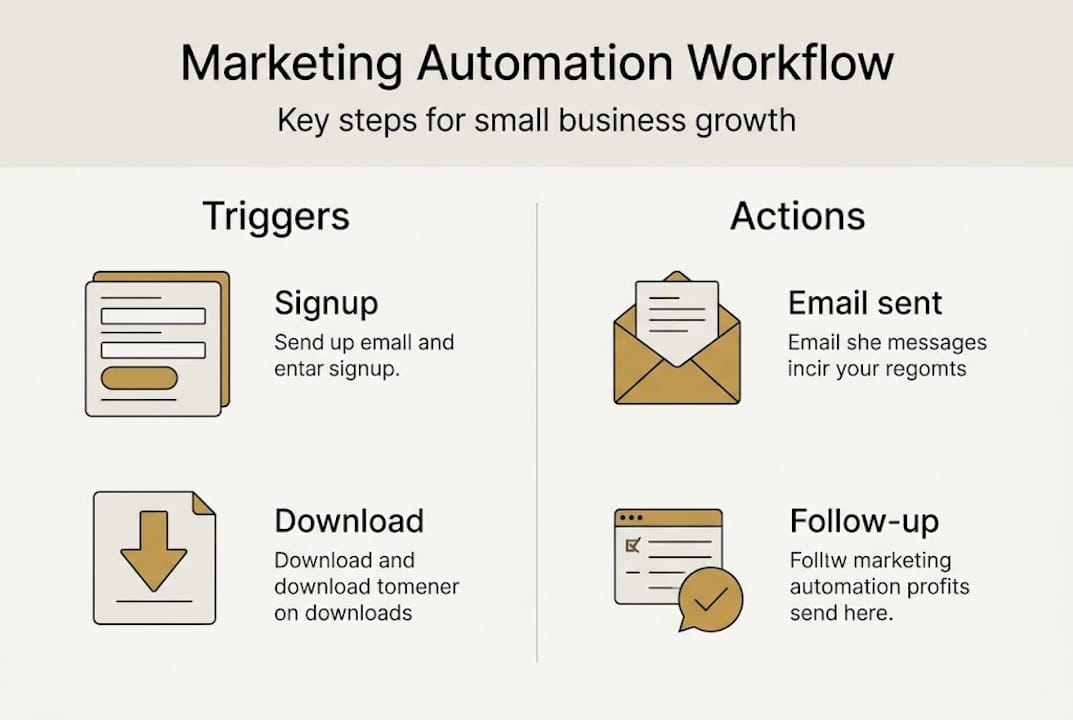
A marketing automation workflow is a pre-built sequence of actions triggered by a specific customer behavior or event. When someone fills out your contact form, downloads your lead magnet, or clicks a link in your email, the workflow kicks in automatically and sends them down a carefully planned path. No manual babysitting required.
Think of it like a vending machine. The customer puts in their coin (the trigger), and the machine delivers the snack (the action) without you standing there handing it over. The marketing automation basics come down to three core components:
- Triggers: The event that starts the workflow (e.g., form submission, email open, link click)
- Actions: What happens next (e.g., send email, assign tag, notify sales rep)
- Outcomes: The goal you're working toward (e.g., booked call, purchase, referral)
Here's a simple example of how a workflow flows:
| Step | Trigger/Action | Purpose |
|---|---|---|
| 1 | Lead downloads free guide | Captures contact info |
| 2 | Welcome email sent automatically | Builds trust immediately |
| 3 | Follow-up email after 2 days | Nurtures the relationship |
| 4 | Offer email on day 5 | Converts lead to client |
| 5 | Tag applied if link clicked | Segments for future targeting |
The payoff is real. Well-structured automation workflows can increase lead conversion rates significantly for small businesses, and when you pair that with effective marketing strategies, you're building a machine that compounds results over time. The marketing automation explained concept is simpler than most people think. You're just replacing repetitive manual tasks with smart, pre-planned sequences.
What you need to get started: Tools and requirements
With a clear understanding of what marketing automation workflows are, let's map out what you need to build one effectively. Before you start building, you need the right gear. Trying to run automation with the wrong tools is like showing up to a gunfight with a butter knife. Entertaining, maybe. Effective, not so much.
Here are the must-have components for any solid automation setup:
- CRM (Customer Relationship Management): Stores your contacts and tracks where they are in your funnel
- Email marketing software: Sends your automated sequences (look for email marketing tools with visual workflow builders)
- Lead capture forms: Landing pages, pop-ups, or embedded forms that feed contacts into your system
- Analytics dashboard: Shows you open rates, click rates, and conversion data so you can optimize
- Integrations: Your tools need to talk to each other, or the whole thing falls apart
Here's a quick comparison of three beginner-friendly platforms:
| Platform | Starting price | Best for | Key feature |
|---|---|---|---|
| Mailchimp | Free tier available | Email-first businesses | Easy drag-and-drop builder |
| ActiveCampaign | From $15/month | CRM + email combo | Advanced segmentation |
| HubSpot | Free tier available | All-in-one growth | Built-in CRM and reporting |
Choosing the right automation platform is essential for growth, so don't just grab whatever's trending. Match the tool to where your business actually is right now. The automation platform guide from Mailchimp is a solid starting point if you're brand new to this.
Pro Tip: Start with one workflow and one tool. Seriously. The biggest trap small business owners fall into is buying five platforms, connecting nothing, and calling it a strategy. Pick the simplest setup that solves your biggest bottleneck first, then scale.
Step-by-step guide: Building your first marketing automation workflow
Once your tools are ready, follow this step-by-step guide to create your first automation workflow. Let's build something real, not theoretical.
- Define your goal. What do you want this workflow to achieve? Book a discovery call? Sell a product? Nurture cold leads? Get specific before you touch a single setting.
- Choose your trigger. Pick the event that starts the sequence. A new subscriber, a form fill, or a specific page visit are all solid starting points.
- Map your actions. Write out every email, tag, or notification that will fire after the trigger. Use a simple flowchart on paper first. Yes, paper. It works.
- Build it in your platform. Use your chosen tool's visual builder to replicate the map you drew. Keep it to 3 to 5 steps for your first workflow.
- Test before you launch. Run yourself through the workflow as a test contact. Check every email, every delay, every link.
- Go live and monitor. Launch it, then watch the data for the first week like a hawk.
A classic example: someone downloads your free lead magnet. They immediately get a welcome email. Two days later, a value email with a case study. Day five, a soft pitch. That's it. Simple, clean, and effective. You can find solid workflow templates to shortcut this process, and pairing them with email automation strategies makes the whole thing sharper. For more real-world inspiration, the workflow examples from ActiveCampaign are worth a look.
A well-implemented workflow can automate up to 70% of repetitive marketing tasks, which means you get your time back to focus on the stuff that actually requires a human brain.

Pro Tip: Think like your customer at every step. Ask yourself, "What does this person need to see next to feel confident moving forward?" That mindset shift turns a generic drip sequence into a genuine conversion engine.
Troubleshooting and avoiding common workflow mistakes
After launching your workflow, it's essential to maintain, monitor, and troubleshoot for maximum results. Even the best-built automation can go sideways if you're not watching it. Here are the most common mistakes that kill workflows before they ever get a chance to perform:
- Poor segmentation: Sending the same message to everyone regardless of behavior is like shouting into a crowd and hoping the right person hears you
- Ignoring analytics: If you're not checking open rates and click data, you're flying blind
- Broken triggers: A misconfigured trigger means leads fall through the cracks silently
- Email deliverability issues: Spam filters are brutal. Clean your list and warm up your domain
- No exit conditions: Contacts stuck in a workflow forever is a fast track to unsubscribes
"Even minor misconfigurations can mean lost leads and wasted spend."
Monitoring and optimizing automation is key to ongoing success. The common automation pitfalls are well-documented, and most of them are avoidable with a simple review process. Pair your workflow monitoring with solid client acquisition strategies to make sure your automation is feeding a pipeline that actually converts.
Pro Tip: Block 30 minutes every two weeks to review your active workflows. Check for broken links, stale content, and segments that haven't been updated. Treat your automation like a car. It needs regular maintenance or it breaks down at the worst possible moment.
Measuring success and optimizing your automation workflow
With your workflow running and common errors handled, it's time to measure what's working and make data-driven improvements. Automation without measurement is just expensive guessing.
Here are the key metrics you should be tracking:
- Email open rates: Industry average hovers around 20 to 25%. Below that, check your subject lines and sender reputation
- Click-through rates: Tells you if your content is compelling enough to drive action
- Lead-to-customer conversion rate: The ultimate measure of whether your workflow is doing its job
- Revenue attribution: Which workflow is actually generating income? Know this or you're wasting budget
- Unsubscribe rate: Spikes here signal that your messaging is off or your frequency is too high
| Metric | Typical benchmark | What to do if below benchmark |
|---|---|---|
| Open rate | 20 to 25% | Test subject lines, improve sender score |
| Click-through rate | 2 to 5% | Rewrite CTAs, improve email body copy |
| Conversion rate | 1 to 3% | Revisit offer, add social proof |
| Unsubscribe rate | Below 0.5% | Reduce frequency, improve segmentation |
Use your platform's reporting dashboard to spot patterns. If open rates drop after email three, your sequence loses steam there. Fix that one email before touching anything else. For deeper guidance on automation success metrics, HubSpot's breakdown is genuinely useful.
Tying automation to ROI is essential for justification and long-term adoption. And when you connect your workflow data to measuring funnel success, you start seeing the full picture of how automation is moving your bottom line.
Why most small businesses overthink automation — and what actually works
Here's the uncomfortable truth: most small business owners don't fail at automation because the technology is too hard. They fail because they spend three months researching tools, building elaborate 47-step workflows in their heads, and never actually launching anything. Analysis paralysis dressed up as preparation.
The businesses that win with automation are the ones that ship something simple, watch what happens, and improve it. They're not waiting for the perfect workflow. They launch a three-email sequence, see a 15% conversion bump, and build from there. That's the direct response workflow mindset in practice.
More tools do not equal more results. One well-configured workflow beats five half-built ones every single time. Start ugly, start simple, and iterate your way to something great. Progress beats perfection, and done beats perfect every day of the week.
Get expert help to launch your marketing automation workflow
Ready to put automation to work? Here's how you can accelerate your results.
DIY automation sounds great until you're three hours deep into a broken trigger sequence at midnight, wondering why your leads aren't getting their welcome emails. Building workflows from scratch takes time, testing, and a lot of trial and error that most business owners simply can't afford.
At Brass Balls, we cut through the noise and build marketing systems that actually convert. Whether you need a done-for-you funnel, a proven email sequence, or a full client acquisition engine, we've got the frameworks that work. Explore marketing automation solutions and find out how we help small business owners stop guessing and start growing with systems that run while they sleep.
Frequently asked questions
What is a trigger in marketing automation workflows?
A trigger is the foundational starting point in an automation workflow, an event or condition like a new subscriber or a website visit that kicks off a pre-planned series of marketing actions automatically.
How do I choose the best automation tool for my small business?
Selecting the right tool means comparing feature sets, pricing, integrations, and ease-of-use to find a platform that fits where your business is right now, not where you hope it'll be in five years.
How can I measure if my automation workflow is successful?
ROI measurement is essential for marketing automation success, so track open rates, lead conversions, and revenue generated to get a clear picture of what your workflow is actually delivering.
What's the most common mistake in marketing automation?
Ongoing optimization is required to prevent lost leads and wasted spend, because the most common mistake is setting up a workflow and walking away without ever reviewing or improving it.